

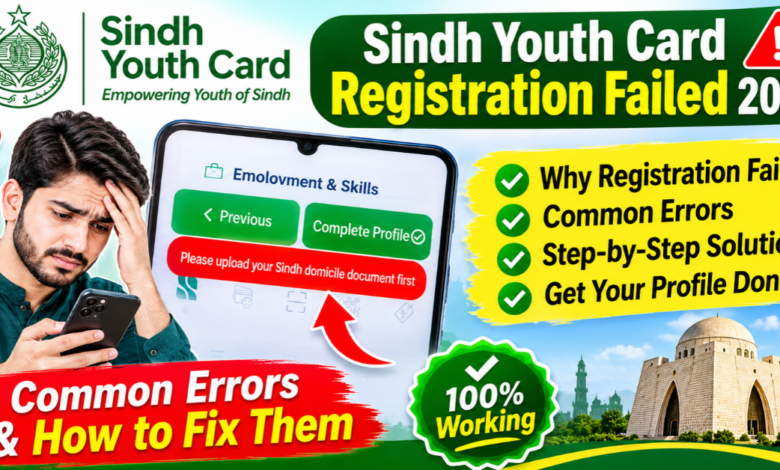
Sindh Youth Card Registration Failed 2026 – Fix Errors
Are you trying to register for the Sindh Youth Card but your application is not completing successfully? Many applicants may experience difficulties while creating an account, entering CNIC information, completing biometric verification, or submitting their profiles.
The Sindh Youth Card is a Government of Sindh initiative designed to connect young people with opportunities related to education, employment, skills development, financial assistance, and other services.
If your Sindh Youth Card registration has failed, this guide explains possible reasons, practical troubleshooting steps, and what you should check before trying again.
Why Is Sindh Youth Card Registration Failing?
There can be several reasons why an applicant cannot complete the registration process.
Here are some common issues worth checking:
1. Incorrect CNIC or B-Form Information
Entering incorrect identification details can prevent an applicant from completing registration.
Check the following:
- Your CNIC number is entered correctly.
- Your B-Form number matches your official document, where applicable.
- Your personal information is accurate.
- You have selected the appropriate registration category.
Always enter information according to your official identification documents.
2. NADRA Biometric Verification Problem
The official Sindh Youth Card registration process includes NADRA biometric verification.
If biometric verification does not complete successfully, you may be unable to proceed.
Try these steps:
- Make sure your phone has a stable internet connection.
- Follow the instructions displayed during biometric verification.
- Allow the application to access the required phone features.
- Follow the official NADRA verification instructions.
- Try again if the application indicates a temporary verification failure.
If verification continues to fail, contact the official support team for assistance.
3. Mobile Application Not Working
Sometimes, an application may stop responding or fail to load registration information.
Possible reasons include an outdated application, temporary technical problems, or an unstable internet connection.
How to fix it:
- Check your mobile internet connection.
- Close and reopen the Sindh Youth Card application.
- Check whether an application update is available.
- Restart your smartphone.
- Try again using a reliable internet connection.
Avoid downloading unofficial application files from unknown websites.
4. Incorrect Mobile Number or Account Information
Your mobile number and account information should be entered carefully during registration.
If you experience problems creating an account, check that:
- Your mobile number is active.
- You have entered the correct contact information.
- You are not accidentally creating duplicate accounts.
- You follow the application’s account verification instructions.
If you cannot access an existing account, use the official account recovery instructions instead of creating another account.
5. Profile Completion Problem
Creating an account does not necessarily mean your Sindh Youth Card application is complete.
Applicants may also need to provide additional information and supporting documents.
Depending on the application requirements, check the following sections:
- Personal information
- Residential information
- Employment and skills
- Educational information
- Identification documents
- Sindh domicile document
Complete the required fields and check whether the application displays any missing information.
How to Fix Sindh Youth Card Registration Failed Error
Follow these troubleshooting steps if your registration is not completing.
Step 1: Open the Official Sindh Youth Card Application
Visit the official Government of Sindh website:
Use the official application download option provided on the website.
Step 2: Check Your Registration Information
Open the application and review the information you entered.
Make sure your CNIC or B-Form details are correct and match your official records.
Step 3: Complete Biometric Verification
Follow the NADRA biometric verification instructions provided in the application.
Make sure your smartphone has a working internet connection and that you follow the verification process carefully.
Step 4: Complete Your Profile
After successfully creating your account, log in and complete the remaining profile information.
If the application requests a domicile certificate or other supporting documents, upload the correct document.
Step 5: Review Your Application
Before submitting your profile, check all the information carefully.
Make sure the required sections are completed and the uploaded documents are readable.
If the application still displays an error, contact the official support team rather than repeatedly submitting incorrect information.
Important Registration Information for Sindh Youth Card Applicants
The official registration page describes two registration categories:
Adult Youth Accounts: Registration uses a 13-digit CNIC, mobile number, and contactless NADRA BVS.
Minor Youth Accounts: Registration uses a 13-digit B-Form number and parent or guardian CNIC details.
Applicants should follow the category and instructions displayed in the official application.
What Should You Do If Registration Still Fails?
If you have tried the troubleshooting steps but cannot register, consider contacting the official programme support team.
The official website provides the following contact information:
- Phone: 021-99203009
- Address: Barrack No. 93, Opposite Sindh Assembly Building, Karachi
- Website: https://sindhyouthcard.gos.pk/
Explain your registration problem clearly and provide the error message you see.
Do not share your password, OTP, or sensitive identification information with unknown individuals or unofficial registration agents.
Safety Tips for Sindh Youth Card Registration
Keep these precautions in mind:
- Always use the official Sindh Youth Card application.
- Never share your OTP with anyone.
- Do not pay unofficial agents for registration.
- Avoid submitting CNIC details on unknown websites.
- Keep your login information private.
- Follow the latest instructions from the Government of Sindh.
Conclusion
Sindh Youth Card registration problems can occur for different reasons, including incorrect identification details, biometric verification difficulties, application issues, and incomplete profile information.
Start by checking your CNIC or B-Form details, internet connection, and biometric verification process. Then review your profile and make sure all required documents have been uploaded.
If your registration continues to fail, contact the official Sindh Youth Card support team for further guidance.
For the latest registration information, always visit the official Government of Sindh website.